The internet has become an important part of everyday life. People use smartphones, computers, tablets, and other connected devices for communication, banking, shopping, education, entertainment, work, and many other activities. Personal photographs are stored online, important documents are kept in cloud accounts, money is managed through banking applications, and private conversations often take place through digital platforms. Businesses also depend heavily on online systems to store customer information, communicate with employees, process payments, manage websites, and perform daily operations. While these technologies provide convenience and make many tasks easier, they also create security risks. Cybercriminals can use stolen passwords, malicious software, fake websites, phishing emails, social engineering, and other techniques to target individuals and organizations. The good news is that cybersecurity does not always require advanced technical knowledge. Many security problems can be reduced by following a few simple and consistent habits.
Cybersecurity is the practice of protecting devices, accounts, networks, applications, and information from unauthorized access, theft, damage, and disruption. It involves both technology and human behavior. A person may have security software installed on a computer, but if they use the same weak password everywhere, click every suspicious link, or ignore important software updates, their overall security can still be weak. Similarly, a business may have advanced security tools but remain vulnerable if employees are not trained to recognize phishing attacks. This is why cybersecurity should be treated as a combination of good technology, sensible settings, and careful decisions.
In this guide, 15 simple cybersecurity tips are explained in straightforward language. These tips can be followed by beginners, students, families, employees, freelancers, small business owners, and almost anyone who regularly uses the internet. You do not need to become a cybersecurity expert to improve your digital safety. Small changes, when applied consistently, can make a significant difference.
Use Strong and Unique Passwords
One of the easiest ways to improve cybersecurity is to use strong and unique passwords for your online accounts. A password should be difficult for another person or an automated system to guess. Common passwords, short passwords, names, birthdays, phone numbers, or simple patterns can create unnecessary risks.
More importantly, avoid using the same password for multiple important accounts. Password reuse can make one security incident much more damaging. For example, if the password used for an old website is exposed during a data breach and the same password is also used for an email account, an attacker may try that password on the email account.
A better approach is to use a different password for every important service. Long passwords or passphrases can be easier to remember while still providing strong protection. A password manager can also be used to generate and store unique passwords securely.
Turn On Multi-Factor Authentication
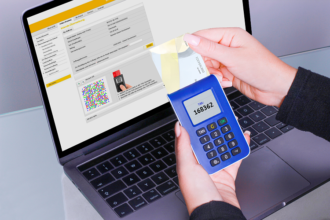
A password is useful, but it should not always be the only protection around an account. Multi-factor authentication, commonly called MFA, adds another layer of security by requiring additional verification when a person signs in.
Depending on the service, the additional factor might involve an authentication application, security key, or another approved verification method. This means that even if someone manages to obtain your password, they may still be unable to access the account without the additional authentication factor.
MFA should be enabled on important accounts whenever it is available. Email, financial, cloud storage, social media, work, and administrator accounts can be especially important because they may contain valuable information or provide access to other services.
Keep Your Software Updated
Software updates are not only about adding new features or changing the appearance of an application. Updates can also fix security vulnerabilities. A vulnerability is a weakness that could potentially be exploited by an attacker.
Operating systems, browsers, mobile applications, computer programs, routers, and other connected devices may receive security updates from their manufacturers or developers. Ignoring updates for long periods can leave known weaknesses unpatched.
Automatic updates can be useful because they reduce the chance of important security fixes being forgotten. When automatic updates are not available, users should regularly check for updates and install them from legitimate sources.
Keeping software updated is one of the simplest cybersecurity practices because it often requires very little technical knowledge.
Be Careful With Emails and Messages
Many cyberattacks begin with a message. An email, text message, social media message, or workplace communication may appear legitimate while actually being designed to trick the recipient.
Phishing messages often create a sense of urgency. They may claim that an account will be closed, a payment has failed, a package cannot be delivered, or immediate verification is required. The message may then provide a link or attachment.
Instead of reacting immediately, stop and examine the message. Consider whether you expected it, whether the sender address is legitimate, and whether the request makes sense. If a message asks for sensitive information or an important financial action, verify the request using a trusted communication method.
Being cautious does not mean ignoring every message. It means avoiding automatic trust.
Do Not Click Suspicious Links
Links can take users to legitimate websites, but they can also lead to phishing pages or malicious downloads. Before clicking an unexpected link, check where it is going.
On a computer, hovering over a link may show its destination. On mobile devices, extra caution may be needed because the full destination may not always be obvious.
Be especially careful with shortened links, unexpected login requests, messages containing unusual spelling or urgent language, and links that claim to require immediate action.
If you need to visit a bank, social media platform, shopping website, or another service, consider opening the official application or typing the website address yourself instead of clicking an unexpected link in a message.
Download Apps and Software From Trusted Sources
Installing unknown software can introduce serious security problems. Malicious applications may look legitimate while secretly collecting information, displaying unwanted advertisements, stealing credentials, or installing additional malware.
Whenever possible, download applications from official app stores or trusted software sources. Before installing a program, check its publisher, reviews, permissions, and other available information.
Be particularly careful with pirated software, unauthorized modifications, suspicious browser extensions, and programs offered through unfamiliar websites. Free software is not automatically dangerous, but users should understand where it came from and what permissions it requests.
If an application asks for permissions that do not appear necessary for its purpose, consider whether those permissions should be granted.
Protect Your Email Account
Your email account may be one of your most important digital accounts. It can contain private messages, documents, account notifications, and personal information. More importantly, many websites allow password resets through email.
If an attacker gains access to your email account, they may attempt to reset passwords for other services connected to that address.
For this reason, email accounts should receive strong security protection. Use a unique password, enable multi-factor authentication, keep recovery information current, and review account activity when the service provides security alerts or login history.
Protecting your email account can therefore help protect many other accounts at the same time.
Back Up Important Files
Cybersecurity is not only about preventing attacks. It is also about preparing for situations in which something goes wrong.
Important files should be backed up regularly. These may include family photographs, work documents, financial records, educational materials, business files, and other information that would be difficult or impossible to replace.
Backups can help after ransomware, accidental deletion, hardware failure, theft, or other incidents. However, simply making a backup is not enough. Important backups should also be protected and periodically checked to ensure that files can actually be restored.
A useful principle is that important information should not exist in only one location.
Use Secure Wi-Fi
Home and public Wi-Fi networks can create security risks when they are poorly configured or used carelessly. A home router should use modern security settings and a strong administrator password.
The default administrator credentials on a router should be changed when appropriate. Router firmware should also be updated when updates are provided by the manufacturer.
Public Wi-Fi requires additional caution. When using networks in airports, hotels, cafés, schools, or other public locations, avoid performing highly sensitive activities if you are uncertain about the network’s security. Make sure websites and applications use appropriate encrypted connections, and keep device sharing settings under control.
Lock Your Devices
A lost or stolen smartphone or laptop can expose personal information if the device does not have proper protection.
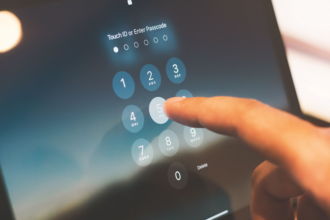
Use a screen lock such as a strong PIN, password, or another supported authentication method. Automatic locking can reduce the amount of time a device remains accessible when it is left unattended.
Modern smartphones and computers often provide encryption and built-in security features. These should be used where appropriate, especially when devices contain sensitive personal or business information.
A simple screen lock can provide an important first barrier against unauthorized physical access.
Be Careful About What You Share Online
Personal information can have value to cybercriminals. Names, addresses, birthdays, phone numbers, travel plans, workplace details, family information, and other details may be collected from public profiles and other online sources.
This does not mean that people should stop using social media or sharing anything online. Instead, think carefully before publishing information publicly.
Review privacy settings on social media platforms and other services. Consider who can see your posts, photographs, contact information, and profile details.
Remember that information posted online can sometimes be copied, archived, or shared beyond the original audience. Think before posting information that could later be used to impersonate you or answer account-security questions.
Watch for Social Engineering Scams
Cybersecurity is not only about computers. Attackers often target people directly.
Social engineering involves manipulating people into revealing information or performing an action. An attacker might pretend to be a manager, bank representative, technical support employee, delivery company, friend, or another trusted person.
One common warning sign is pressure. If someone demands immediate action and discourages you from verifying the request, be cautious.
Before sharing confidential information, approving an unusual login, sending money, or changing account settings because of a request, verify the person’s identity through a trusted method.
Taking a few extra minutes to verify a request can prevent a much bigger problem.
Review Your Account Activity
Many online services provide security notifications, login histories, active-session lists, or lists of connected devices. These features can help users identify unusual activity.
Review these settings periodically, especially for important accounts. If you see an unfamiliar device, location, application, or login, investigate it.
If you believe an account has been compromised, change the password, sign out of unknown sessions, enable or strengthen multi-factor authentication, and follow the service’s account-recovery and security procedures.
Do not ignore unexpected security alerts. Sometimes they can be the first indication that someone is attempting to access your account.
Use Security and Privacy Settings
Many devices and applications include security and privacy settings that users can adjust. These settings may control permissions, location access, camera and microphone access, notifications, data sharing, account visibility, and other features.
Review these settings instead of automatically accepting every default option.
For example, an application that does not need access to your microphone may not need microphone permission. Similarly, a website or service may not need access to information that is unrelated to the service being provided.
Good privacy settings can reduce unnecessary exposure and give users more control over their digital information.
Learn the Basics of Cybersecurity
The final tip may be the most important: keep learning.
Cybersecurity changes constantly. New scams appear, software vulnerabilities are discovered, and attackers develop new techniques. Learning a few basic security concepts can make it easier to recognize suspicious activity.
You do not need to study advanced programming or become a professional security analyst. Start with practical topics such as phishing, password security, multi-factor authentication, malware, software updates, backups, privacy settings, and social engineering.
The more familiar you become with common threats, the easier it can be to recognize warning signs before a problem occurs.