The internet has become an essential part of modern life, and it is becoming increasingly difficult to imagine everyday activities without digital services. People use websites and applications to communicate with family and friends, shop for products, manage bank accounts, attend online classes, work remotely, watch entertainment, store photographs, make appointments, and access important services. Smartphones have made this even more significant because a single device can contain personal photographs, private conversations, contact lists, documents, financial applications, social media accounts, email accounts, location information, and access to cloud storage. While digital technology provides enormous convenience, it also creates an important question: How much of our personal information are we sharing online, and how much control do we really have over it? This is where online privacy becomes important. Protecting online privacy does not mean avoiding the internet completely or becoming invisible online. Instead, it means being more careful about what information is shared, understanding how digital services handle personal data, limiting unnecessary exposure, and using security and privacy settings appropriately.
Online privacy can be affected by many different activities. A person may intentionally provide information by creating an account, filling out an online form, making a purchase, or publishing a social media post. At the same time, websites and applications may collect technical and behavioral information automatically. This can include information about devices, browsers, approximate locations, website interactions, searches, purchases, and application usage, depending on the service and its technologies. Some data collection can serve useful purposes, such as providing a service, preventing fraud, remembering preferences, or improving a website. Other forms of collection may be used for analytics, personalization, or advertising. The important point is that users should understand that their online activities can create a digital footprint. By developing better privacy habits, people can reduce unnecessary data exposure and gain more control over their digital lives.
1. Use Strong and Unique Passwords
Strong passwords are one of the most basic parts of protecting online privacy. Many online accounts contain personal information, private messages, photographs, documents, financial details, and other data that should not be accessible to strangers. If an attacker gains access to one of these accounts, the privacy consequences can be serious. A weak password can make unauthorized access easier, particularly when the password is short, predictable, commonly used, or based on easily available personal information such as a name or birthday.
Another important rule is to avoid reusing the same password across multiple accounts. Password reuse creates a chain reaction when a password is exposed. If the same password is used for an email account, social media account, shopping website, and another service, a compromise at one service may allow an attacker to try the exposed password elsewhere. Using a unique password for each important account can limit the damage caused by an individual breach. A password manager can make this easier by generating and storing different strong passwords for different services.
2. Enable Multi-Factor Authentication
Multi-factor authentication, commonly called MFA, provides another important layer of protection for online accounts. Instead of relying entirely on a password, MFA requires additional verification during login. Depending on the service, this may involve an authentication application, security key, or another approved method.
The main benefit is that a stolen password may not be enough to access the account. This is particularly valuable for email accounts, financial services, cloud storage, social media, business accounts, and administrator accounts. If an online service provides MFA, users should consider enabling it, especially for accounts containing sensitive information.
MFA is not a replacement for good passwords, but it works alongside strong password practices. Using both creates a stronger barrier against unauthorized access.
3. Share Less Personal Information
One of the easiest ways to improve online privacy is simply to share less information. Many websites and applications ask for personal details during registration or while providing services. Some information may be necessary, but other information may be optional.
Before providing additional details, consider whether they are actually needed. Avoid publicly sharing sensitive information such as identification numbers, financial details, passwords, private documents, precise home information, or other details that could create unnecessary risks.
The less unnecessary personal information that exists across the internet, the less information there is that can potentially be exposed, copied, misused, or combined with information from other sources.
4. Review Your Social Media Privacy Settings
Social media platforms encourage people to share photographs, videos, opinions, locations, family information, professional details, and other personal content. These platforms can be useful for communication, but public profiles can also reveal a significant amount of information about an individual.
Review your social media privacy settings and determine who can see your posts, photographs, profile details, contact information, and other content. Depending on the platform, you may be able to limit visibility to friends, approved followers, or other selected audiences.
Remember that privacy settings do not guarantee that content can never be copied or redistributed. Even content shared with a limited audience can potentially be saved or shared by someone who has access to it. Privacy settings should therefore be combined with careful decisions about what you publish.
5. Think Before Posting Online
Once information is published online, it may become difficult to completely control where it goes. A photograph can be downloaded, a post can be copied, and a comment can be shared outside the original audience. Even when a platform provides a delete button, copies may already exist elsewhere.
Before posting personal information, consider whether it could create a problem in the future. Ask yourself who might see it, whether it reveals your location or routine, and whether you would be comfortable with it being available several years from now.
This does not mean that people should stop enjoying social media. It simply means that personal information should be shared intentionally rather than automatically.
6. Review Application Permissions
Mobile applications often request permission to access different features of a device, including the camera, microphone, location, contacts, photographs, files, and notifications. Some permissions are necessary for an application to work correctly, but others may not be essential.
For example, a navigation application may reasonably require location access, while a simple application that performs an unrelated function may not need continuous access to your location. Reviewing permissions can help you identify applications that have access to more information than necessary.
Check your phone’s privacy and permission settings periodically. Remove permissions that are unnecessary when your device allows you to do so.
7. Keep Your Devices Updated
Privacy and security can be affected when devices run outdated software. Operating systems, browsers, applications, routers, and other digital products can contain vulnerabilities that are later discovered and fixed through updates.
Installing updates can reduce exposure to known security weaknesses. Automatic updates can be particularly useful because they reduce the possibility of forgetting important security patches.
Updates are therefore not simply about receiving new features. They can also be an important part of maintaining the security and privacy of your device.
8. Be Careful With Emails and Messages
Emails, text messages, and social media messages are frequently used in phishing and social-engineering attacks. A message may appear to come from a bank, employer, delivery company, government organization, friend, or another trusted source while actually being designed to trick the recipient.
Be cautious when a message creates urgency or asks for sensitive information. Messages that demand immediate action, request passwords, ask for payments, or provide unexpected login links should be examined carefully.
If a message appears suspicious, contact the organization or person through a trusted method rather than using contact information provided in the suspicious message.
9. Check Links Before Clicking
A link can lead to a legitimate website, but it can also lead to a fake login page, malicious download, or scam website. Attackers often create websites that look almost identical to legitimate services.
Before clicking an unexpected link, consider whether you recognize the sender and whether the message makes sense. When accessing sensitive services such as banking or email, it can be safer to open the official application or manually enter a known website address rather than following an unexpected link.
A few seconds of caution can prevent a much larger privacy problem.
10. Use Trusted Apps and Software
Installing applications from unknown sources can create privacy and security risks. Some malicious programs may pretend to be legitimate applications while collecting information, displaying unwanted content, stealing credentials, or installing additional malicious software.
Download applications from reputable and official sources whenever possible. Pay attention to the publisher, permissions, reviews, and other available information before installing an unfamiliar application.
Be especially cautious with pirated software, unauthorized modifications, suspicious browser extensions, and applications distributed through websites you do not trust.
11. Protect Your Email Account
Your email account deserves special attention because it may be connected to many other online accounts. Password-reset messages, account notifications, private conversations, documents, and other sensitive information may all be stored in an email account.
Use a strong and unique password for email and enable multi-factor authentication whenever possible. Review account recovery settings and login activity periodically.
If someone gains control of your email account, they may attempt to reset passwords for other services. Protecting email can therefore help protect your wider digital identity.
12. Be Careful With Public Wi-Fi
Public Wi-Fi can be convenient in airports, hotels, cafés, libraries, shopping centers, and other locations, but users should be cautious because they may not know how the network is operated or secured.
When using public networks, avoid unnecessary sensitive activities if you are uncertain about the connection. Make sure important websites and applications use encrypted connections and keep device sharing features appropriately restricted.
You should also avoid connecting automatically to unfamiliar networks when possible. Your device should not be configured to trust every wireless network it encounters.
13. Use a Screen Lock
A smartphone or laptop can contain a large amount of private information. If the device is lost or stolen and does not have appropriate protection, someone with physical access may be able to view personal files and accounts.
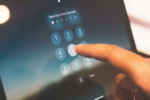
Use a strong screen lock such as a secure PIN, password, or another supported authentication method. Configure the device to lock automatically after a reasonable period of inactivity.
Where available, device encryption should also be enabled, especially when sensitive personal or professional information is stored locally.
14. Back Up Important Information
Privacy protection also includes preparing for situations in which something goes wrong. Devices can be lost, damaged, stolen, or affected by malware. Important files may also be deleted accidentally.
Regular backups can help protect photographs, documents, work files, and other important information. Backups are particularly useful in situations involving ransomware or hardware failure.
Important backups should themselves be protected and periodically checked. A backup that cannot be restored when needed may not provide much practical protection.
15. Limit Location Sharing
Location information can reveal where you live, work, travel, shop, study, or spend your time. Smartphones and applications may request location access for navigation, transportation, weather, delivery, or other useful features.
However, not every application needs continuous access to your location. Review which applications have location permissions and consider whether each one actually requires that access.
Where supported, you may be able to choose between different levels of location access, such as allowing access only while an application is being used. These controls can provide greater privacy without completely disabling useful location-based services.
16. Review Your Browser Privacy Settings
Web browsers provide several settings related to privacy, cookies, permissions, saved information, notifications, and tracking protection. Reviewing these settings can help you understand and control some aspects of your browsing experience.
Users can consider how cookies are handled, whether websites can access location or other device features, whether passwords are being stored in the browser, and what browsing data is retained.
Private or incognito browsing can be useful in certain situations, but it should not be misunderstood as complete anonymity. It mainly changes what information is stored locally by the browser and does not automatically prevent websites, networks, or online services from processing information about activity.
17. Delete Old and Unused Accounts
Over the years, many people create accounts on websites and applications that they eventually stop using. These old accounts may still contain names, email addresses, photographs, profile information, and other personal details.
Unused accounts increase your digital footprint. If an old service experiences a data breach, information associated with the account could potentially be exposed.
Where practical, identify accounts you no longer need and close them according to the service’s account-deletion process. Reducing the number of unnecessary accounts can help reduce the amount of personal information stored across different platforms.
18. Be Careful With Online Forms
Online forms are everywhere. Websites may ask for names, phone numbers, addresses, dates of birth, employment details, interests, and other information. Some forms require certain information to provide a service, while other fields may be optional.
Before completing a form, look carefully at what information is being requested. If a field is optional and there is no clear reason to provide the information, consider leaving it blank.
You should also be cautious about forms received through unexpected emails or messages. A fake form can be designed to collect passwords, financial details, identification information, or other sensitive data.
19. Monitor Your Accounts
Regularly reviewing your important accounts can help you notice suspicious activity. Many services provide login histories, security alerts, lists of connected devices, or records of recent account activity.
Look for unfamiliar devices, locations, applications, or login attempts. If something does not look right, investigate it promptly.
Monitoring is particularly important for email, financial, cloud-storage, social media, and work accounts. Early detection can sometimes limit the consequences of unauthorized access.
20. Learn About Online Privacy
The final and perhaps most important tip is to continue learning. Online privacy is not a one-time task because technology, websites, applications, tracking systems, scams, and security threats change over time.
You do not need to become a cybersecurity professional. Learning basic concepts such as phishing, cookies, tracking, application permissions, multi-factor authentication, password security, data breaches, and privacy settings can make a significant difference.
The more you understand about how digital services operate, the easier it becomes to make informed decisions about the information you share.
Frequently Asked Questions About Protecting Online Privacy
What is the easiest way to improve online privacy?
One of the easiest ways to improve online privacy is to reduce unnecessary sharing of personal information. At the same time, protecting important accounts with strong unique passwords and multi-factor authentication can significantly improve security and help protect private information.
Can I completely protect my privacy online?
Complete privacy is difficult to guarantee because using many online services requires some information to be processed. However, you can significantly improve your privacy by limiting unnecessary data sharing, reviewing privacy settings, protecting accounts, managing application permissions, and being careful about what you publish.
Should I use the same password for different websites?
No. Reusing passwords creates additional risk because a password compromised at one website may be tried on other accounts. Unique passwords help limit the impact of a single breach.
Is multi-factor authentication worth using?
Yes. MFA provides an additional layer of protection beyond the password. It can make unauthorized access more difficult when a password has been stolen or exposed.
Does private browsing make me anonymous?
No. Private or incognito browsing does not make you completely anonymous. It mainly limits certain browsing information stored locally on your device. Websites, online services, and networks may still process information about your activity.
Should I delete old online accounts?
Where practical, yes. Old accounts may contain personal information that is no longer necessary. Closing unused accounts can reduce your digital footprint and reduce the number of places where your information is stored.
How can I protect my privacy on social media?
Review privacy settings, limit public information, control who can see your posts, avoid sharing sensitive documents or precise location information, and think carefully before publishing personal content.
Why should I review application permissions?
Applications may have access to information or device features such as location, contacts, photographs, cameras, and microphones. Reviewing permissions helps you determine whether that access is necessary and appropriate.
Is public Wi-Fi always dangerous?
No. Public Wi-Fi is not automatically dangerous, but users may not know how the network is configured or who operates it. Sensitive activities should therefore be approached carefully on unfamiliar networks.
What should I do if I accidentally share sensitive information online?
Act quickly. If account credentials were shared, change the affected password from a trusted device and enable MFA. If financial information was exposed, contact the relevant financial institution through an official channel. The appropriate response depends on what information was exposed and where it was shared.