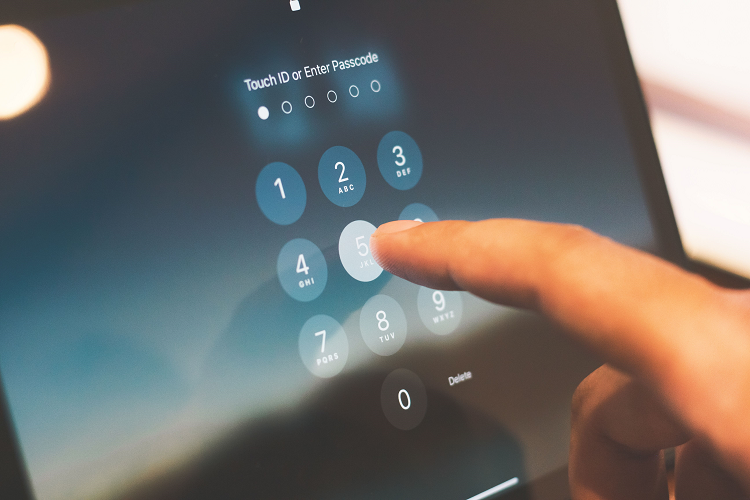
Passwords are one of the most basic parts of online security, but they are also one of the most commonly misunderstood. Almost every person who uses the internet has passwords for email, social media, online shopping, banking, work accounts, cloud storage, streaming services, and many other websites. Because so many accounts depend on passwords, a weak password can create serious security problems. If a password is easy to guess, reused across multiple accounts, or exposed in a data breach, criminals may be able to access an account without needing to break through complicated security systems. In some cases, one stolen password can become the starting point for attacks against several other accounts.
Creating a strong password is therefore an important part of cybersecurity and online privacy. However, a strong password is not simply a password containing a few capital letters, numbers, and symbols. Modern password security is more focused on creating passwords that are long, unique, difficult for attackers to guess, and not reused across different services. A password that looks complicated but is short or predictable may not provide as much protection as a long passphrase made from unrelated words. The way passwords are stored and managed is also important because even the strongest password can create problems if it is written in an unsafe place or reused across many accounts.
The good news is that strong password security does not have to be difficult. A few simple habits can significantly improve account protection. Passwords should be unique for important accounts, long enough to resist guessing attacks, and stored with a reputable password manager when possible. Multi-factor authentication should also be enabled because it provides another layer of protection if a password is stolen. Most importantly, passwords should not be based on information that other people can easily discover, such as names, birthdays, phone numbers, pet names, favorite teams, or simple patterns.
What Makes a Password Strong?
A strong password is one that is difficult for an attacker to guess or discover. Several factors contribute to password strength, including length, uniqueness, unpredictability, and proper management.
Length is particularly important because a longer password generally creates a much larger number of possible combinations. A short password can be vulnerable to automated guessing, especially when it contains common words or predictable patterns. A longer passphrase can be easier for a person to remember while still being difficult for an attacker to guess.
Uniqueness is equally important. A password should ideally be used for only one account. If the same password is used for email, social media, shopping, and banking, the compromise of one website could put all of those accounts at risk. Criminals sometimes obtain usernames and passwords from one breach and then attempt to use the same credentials on other services. This technique is known as credential stuffing.
A strong password should also avoid predictable personal information. Your name, birthday, phone number, family member’s name, favorite sports team, or common phrase may be easy for someone to discover through social media or other public information.
Why Password Length Matters
Many people focus heavily on adding symbols and numbers while ignoring password length. In reality, length is one of the most important characteristics of a password.
Consider a short password such as:
adam123!
It may contain uppercase and lowercase letters, numbers, and a symbol, but it is still based on a predictable personal name and a common number pattern. Adding a symbol does not automatically make a password strong.
A longer passphrase can provide a better approach. For example, instead of creating a short password based on a familiar word, a person can use several unrelated words combined into a long phrase. The exact words should not be personal or predictable.
The important lesson is that a password should be long and unpredictable rather than simply complicated-looking.
Password vs Passphrase
A password is often a relatively short combination of letters, numbers, and symbols. A passphrase is generally longer and may consist of several words.
For many people, passphrases are easier to remember because they can form a mental image or unusual combination of words. For example, imagine a phrase involving four unrelated objects, places, or concepts. The phrase can be made long without requiring the user to memorize a confusing sequence of characters.
A passphrase should not be a famous quotation, song lyric, common saying, or sentence that someone could easily guess. Randomly selected words are generally preferable to a predictable sentence.
For important accounts, the best option is often to let a password manager generate a long random password rather than creating one manually.
How to Create a Strong Password
1. Make It Long
Start with length. Avoid very short passwords, especially for important accounts.
Your email, banking, cloud storage, and primary social media accounts deserve particularly strong credentials because they may contain valuable information or provide access to password-reset systems.
When a service allows long passwords, take advantage of that capability. A password manager can make long random passwords practical because you do not have to memorize every one.
2. Make Every Important Password Unique
One of the most important password rules is:
Never use the same password for multiple important accounts.
Imagine that you use the same password for an online shopping account and your email account. If the shopping website suffers a breach and your password becomes available to criminals, attackers may try that same username and password combination against your email account.
Email accounts are especially important because they are often connected to password-reset systems. If an attacker gains access to your primary email account, they may attempt to reset passwords for other services.
Unique passwords create separation between accounts. If one password is compromised, the damage can be limited to that particular account.
3. Avoid Personal Information
Do not build passwords from information that people can easily find about you.
Avoid using:
- Your name
- Date of birth
- Phone number
- Home or workplace information
- Family members’ names
- Pet names
- Favorite sports teams
- Favorite celebrities
- School names
- Simple nicknames
- Common hobbies
- Easy-to-find personal details
Social media can make this information surprisingly easy to discover. A person may think that using their pet’s name makes a password memorable, but if that pet appears frequently in public posts, the information may not be secret at all.
4. Avoid Common Passwords
Some passwords are extremely common and should never be used.
Examples include passwords based on:
123456passwordqwertyadminwelcome123456789- Simple keyboard patterns
- Repeated characters
Even if a common password is modified slightly, it may still be predictable. Adding a number to the end of a common word is not necessarily enough.
5. Avoid Predictable Patterns
Attackers do not necessarily guess passwords randomly. Automated tools can test common patterns very quickly.
For example, users frequently create passwords by taking a familiar word and adding:
1232026!@- A birth year
- A company name
- A season
- A month
These patterns are predictable. A password should instead be generated in a way that makes the next character or word difficult to predict.
6. Use a Password Manager
A password manager can make strong password security much easier.
Instead of trying to remember dozens of unique passwords, you can use a password manager to generate and store them. The manager can create long random passwords and automatically fill them when you sign in.
This solves one of the biggest problems with password security: people often reuse passwords because remembering a different password for every website is difficult.
A good password manager can allow you to maintain unique credentials without requiring you to memorize all of them. You generally need to remember only the password used to protect the password manager itself, so that password should be especially strong and carefully protected.
7. Protect Your Main Email Account
Your primary email account deserves special attention because it is often connected to many other online accounts.
If someone gains access to your email, they may be able to receive password-reset messages, view private conversations, access documents, and potentially reset passwords for other services.
Use a unique and strong password for your email account. Enable multi-factor authentication and make sure recovery information is accurate and secure.
Protecting your email account can therefore help protect many other accounts at the same time.
8. Enable Multi-Factor Authentication
A password should not be treated as your only line of defense.
Multi-factor authentication (MFA) adds another verification step when you sign in. Depending on the service, this may involve an authenticator application, security key, biometric method, or another approved verification method.
The exact options vary between services, but the principle is simple: even if someone obtains your password, they may still need another factor to gain access.
For important accounts, MFA should be enabled whenever it is available.
9. Use a Password Generator
If you do not want to create passwords manually, a password manager’s built-in generator can create random passwords for you.
Randomly generated passwords can be extremely difficult to guess because they do not depend on personal information or predictable patterns.
For example, a generated password may contain a long sequence of letters, numbers, and symbols that has no meaningful connection to the account owner.
This is particularly useful for accounts that do not need to be accessed manually every day.
10. Do Not Share Your Password
Passwords should be treated as private security information. Do not share them casually with friends, coworkers, strangers, or people contacting you online.
A person may claim to be from technical support, a bank, an employer, or another organization and ask for your password. This should immediately raise suspicion.
Legitimate services generally have established methods for account verification that do not require you to simply reveal your password to an unexpected caller or message sender.
11. Do Not Store Passwords in Unsafe Places
Writing passwords on a piece of paper next to your computer, saving them in an unprotected text file, or sending them to yourself through an insecure messaging channel can create unnecessary risks.
A reputable password manager is generally a better way to store many credentials. If passwords must be written down for a specific reason, they should be kept in a physically secure place and away from unauthorized access.
The goal is not merely to create strong passwords but also to protect them after they have been created.
12. Be Careful When Logging In
Even a strong password can be stolen if it is entered into a fake website.
Before entering credentials, check that you are using the legitimate website or application. Phishing attacks can create login pages that look almost identical to real services.
If you receive an unexpected email asking you to sign in, avoid using the provided link. Instead, open the official application or website independently.
This habit is particularly important for email, banking, social media, workplace, and cloud-storage accounts.
13. Change Compromised Passwords Immediately
There is an important difference between changing passwords simply because time has passed and changing passwords because there is evidence of compromise.
If you discover that a password has been exposed, stolen, reused in a breach, or entered into a phishing website, it should be changed promptly.
The new password should be unique and should not be a minor variation of the old password.
For example, changing:
MyOldPassword1!
to:
MyOldPassword2!
does not provide meaningful protection if the original password has already been exposed.
14. Check for Suspicious Account Activity
Regularly reviewing important accounts can help identify unusual activity.
Depending on the service, you may be able to see recent logins, connected devices, active sessions, security alerts, or password changes.
If you notice an unfamiliar login or device, investigate it immediately. Sign out of unknown sessions where the service provides that option, change the password, and enable or review MFA.
15. Avoid Reusing Passwords After a Breach
If a website announces that its customer information has been compromised, do not assume that changing the password only on that website is enough.
If you used the same password elsewhere, those other accounts should also receive new passwords.
This is one reason password uniqueness is so important. Reusing passwords creates a chain reaction in which one breach can potentially affect many accounts.
Why Reusing Passwords Is Dangerous
Password reuse is one of the biggest account-security problems because it connects otherwise separate accounts.
Imagine that you have ten online accounts and use the same password for all of them. If criminals obtain that password from one service, they may attempt to use it on the other nine.
Now compare that with ten accounts using ten different passwords. If one password is compromised, the attacker does not automatically have the credentials for the other accounts.
The second approach creates what can be thought of as security compartmentalization. Each account has its own barrier.
A password manager makes this approach much easier because users do not have to remember ten, twenty, or fifty different passwords.
Passwords You Should Protect Most Carefully
Not every account has exactly the same importance. Some accounts can create much greater damage if compromised.
Pay particular attention to:
Email Accounts
Email often provides password-reset access to other accounts.
Banking and Financial Accounts
These accounts may provide access to money and sensitive financial information.
Primary Social Media Accounts
Compromised social accounts may be used for impersonation, scams, or unauthorized posts.
Cloud Storage
Cloud accounts may contain documents, photographs, backups, and private files.
Work Accounts
A compromised work account could expose company information or provide attackers with access to workplace systems.
Password Manager
The password protecting your password manager is especially important because it may protect many other credentials.
What Makes a Bad Password?
A weak password often has one or more of these characteristics:
- It is very short.
- It is a common word.
- It contains personal information.
- It uses a predictable pattern.
- It is reused on several websites.
- It is based on a famous phrase.
- It contains a simple keyboard sequence.
- It is shared with other people.
- It has been exposed in a previous breach.
- It is saved in an unsafe location.
The important thing to understand is that a password can look complicated while still being predictable.
What Makes a Good Password?
A strong password should ideally be:
- Long
- Unique
- Random or unpredictable
- Difficult to guess
- Not based on personal information
- Not reused elsewhere
- Stored securely
- Protected with MFA when possible
For most people, the easiest way to achieve this is to use a reputable password manager that generates and stores unique passwords.
What If You Think Your Password Has Been Stolen?
If you believe a password has been exposed, act quickly.
First, change the password through the legitimate website or application. Do not use a link from a suspicious message to change it.
Second, check whether the password was reused elsewhere. If it was, change those accounts too.
Third, enable MFA if available.
Fourth, review recent login activity and connected devices.
Fifth, check whether recovery email addresses, phone numbers, or other security settings have been changed.
Finally, be alert for follow-up phishing attempts. Once a criminal knows that someone has interacted with a compromised account, additional scam messages may be attempted.
A Simple Password Security Routine
A practical routine can make password security easier.
Use a unique password for every important account.
Use long passwords or passphrases.
Use a password manager to generate and store credentials.
Enable MFA on important accounts.
Never share passwords or authentication codes.
Avoid entering passwords through suspicious links.
Change passwords when compromise is suspected.
Review important account activity periodically.
These habits do not require advanced technical knowledge. They simply create stronger barriers between your accounts and potential attackers.
Frequently Asked Questions
What is the best type of password?
The best password is generally one that is long, unique, and difficult to predict. For many people, a long randomly generated password stored in a reputable password manager is an excellent option.
How long should a strong password be?
Longer is generally better when the service allows it. A password manager can generate a sufficiently long random password without requiring you to memorize it. For passwords you must remember, a long, unique passphrase can be easier to manage.
Is a password with numbers and symbols automatically strong?
No. Adding numbers and symbols to a predictable password does not automatically make it secure. A password such as a common word followed by 123! may still be easy to guess.
Should I use the same password on different websites?
No. Important accounts should have unique passwords. Reusing passwords allows a compromised credential from one service to potentially be tried against other accounts.
What is a passphrase?
A passphrase is a longer credential that may contain several words. Randomly selected words can provide length while remaining easier to remember than a complicated sequence of characters.
Is it safe to use a password manager?
A reputable password manager can make strong password practices much easier by generating and storing unique passwords. The password manager itself should be protected with a strong primary password and available security features such as MFA.
Should I change my password every month?
Changing passwords on a fixed schedule is not necessarily the most important password-security practice. Using strong, unique passwords and changing them when compromise is suspected is generally more useful.
What should I do if I reuse the same password everywhere?
Start with your most important accounts, especially email, financial, work, and primary social media accounts. Give each account a unique password and enable MFA wherever possible. A password manager can help manage the new credentials.
Should I write my passwords down?
Writing passwords down can create physical-security risks if the information is easily accessible. For many accounts, a reputable password manager is a more practical solution.
Can hackers guess a strong password?
No security method guarantees that an account can never be compromised. However, a long, unique, unpredictable password is much harder to guess than a short, common, or personal password.
What is credential stuffing?
Credential stuffing is an attack technique in which criminals use usernames and passwords obtained from one breach and try them against other websites. Password reuse makes this attack much more effective.
Why is my email password so important?
Your email account may be used to reset passwords for other accounts. If someone gains access to your email, they may potentially use password-reset links to compromise additional services.
Should I share my password with technical support?
Do not automatically share your password with someone simply because they claim to be technical support. Verify unexpected requests through an official channel and use legitimate account-recovery or support procedures.
What is multi-factor authentication?
Multi-factor authentication adds another verification step beyond the password. Depending on the service, it may involve an authenticator app, security key, biometric method, or another approved factor.
What should I do if I entered my password on a fake website?
Change the password immediately through the legitimate website or application. If the password was reused on other accounts, change those accounts as well. Enable MFA and review recent account activity for anything unusual.
Are passwords still important when MFA is enabled?
Yes. MFA provides an additional layer of protection, but the password remains an important part of account security. Strong, unique passwords and MFA work best together.